



Cybersecurity in Salem: Email Security Without Lost Leads
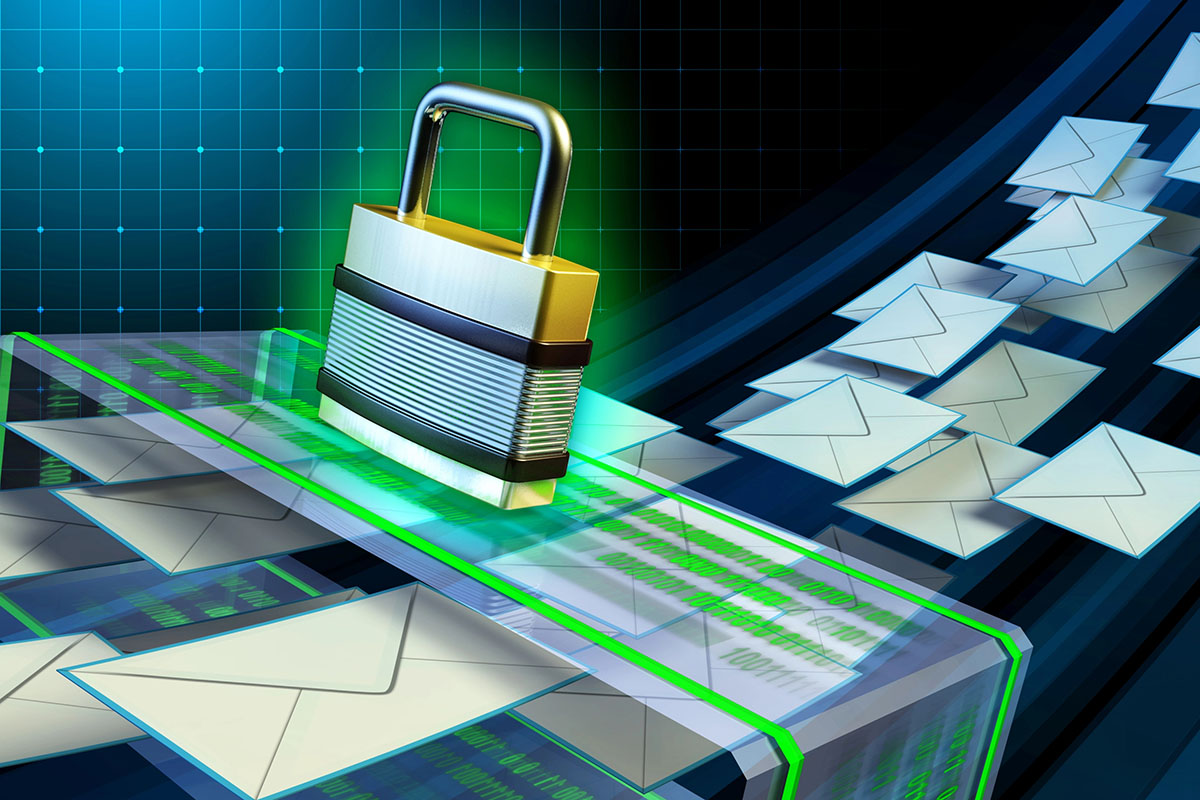

Most companies approach email filtering like a war on spam. They turn settings up, add block rules, and hope the inbox gets quiet. The problem is that aggressive filtering often creates a new issue that is worse than spam: missed customer messages, a risk that grows as organizations modernize their cybersecurity in Salem and beyond.
A missed email can mean:
- A lead that never receives a response
- A vendor invoice that goes unpaid
- A service request that turns into a complaint
- A project delay because a document link was quarantined
In 2026, email security must be built around two outcomes at the same time, supporting both reliable communication and scalable managed IT in Salem OR.
- Stop credential theft and malicious links
- Keep legitimate communication visible and reliable
Pacific Cloud Cyber has a playbook that does both, using simple operational habits and technical controls. We can implement these steps in Microsoft 365 and related tools, but the framework is useful for any business.
Step 1: Separate “Inbound Risk” from “Inbound Business”
Not all email carries the same stakes. A sales inquiry from a potential customer is not the same as cold outreach from someone selling SEO services. A vendor invoice is not the same as bulk marketing from a company you have never heard of.
But most email filtering treats them exactly the same. That is why companies end up over-filtering and missing messages that actually matter.
A better approach is to think in three categories:
Category one is mission-critical mail. These are the messages that directly affect revenue and operations. Sales inquiries, support requests, billing and vendor invoices, and new customer onboarding messages. If one of these disappears into spam, someone eventually notices because something breaks or money gets delayed.
Category two is internal and known contacts. Employee messages and communications from established vendors and partners fall here. The risk is lower because you already have a relationship. These senders should flow through with minimal friction.
Category three is untrusted or unknown mail. Cold outreach, bulk marketing, and unknown senders live here. This is where aggressive filtering belongs. Most of it is noise, and some of it’s dangerous.
Step 2: Fix Inbound Deliverability by Fixing Your Outbound Reputation
It sounds backward, but many “missing emails” problems are caused by outbound configuration issues. When your domain is misconfigured, email systems treat your organization as less trustworthy overall.
Make sure your business domain has:
- Correct SPF records
- DKIM enabled
- DMARC set and monitored
These do two things:
- Improve deliverability of your outbound messages
- Reduce spoofing, which is a common phishing tactic where attackers pretend to be you
Many businesses think they have SPF because it exists. The real question is whether it is accurate for every system that sends on your behalf: Microsoft 365, website forms, CRMs, marketing platforms, and ticketing tools.
Step 3: Stop Using Inbox Rules as a Security Strategy
User-built rules are a major source of missed messages. Common problems include:
- Messages routed to obscure folders that no one checks
- Entire domains blocked because of one bad email
- Auto-forwarding that bypasses security controls
- Rules that delete mail silently
If you want fewer missed emails:
- Audit rules for customer-facing mailboxes
- Remove rules that auto-delete or auto-move unknown senders
- Centralize filtering at the email security layer, not in Outlook rules
Email security should be consistent across the company. Personal rule collections create inconsistent outcomes and support headaches.
Step 4: Use Quarantine Properly with a Lead-Safe Workflow
Quarantine exists for a reason. Some messages are too suspicious to deliver but not obviously malicious enough to delete. The problem is not quarantine itself. The problem is when quarantine becomes a black hole.
If nobody checks it, nothing gets rescued. That sales inquiry from a new customer with a slightly unusual domain? Gone. That invoice from a vendor who just switched email providers? Buried. The message was not deleted, but it might as well have been.
Make quarantine visible and actionable.
Start by quarantining suspicious mail instead of deleting it outright. Then send daily summaries to users so they actually know something is waiting. For mission-critical mailboxes like sales, support, and billing, assign a backup reviewer who checks even when the primary person is out. And establish a quick, documented procedure for releasing legitimate messages so nobody has to guess or wait for IT.
Here is the simplest operational improvement a small business can make: a 60-second quarantine check at the start of the day for anyone handling leads or customer requests. That is it. One minute. Scan the list, release what is real, move on.
Step 5: Route Leads Through Systems That Do Not Depend on Inbox Perfection
If new customer inquiries drive your revenue, relying entirely on inbound email is a gamble. Filters are imperfect. Spam folders are ignored. Quarantine summaries get skipped on busy days. One missed message at the wrong time can cost you a deal you never knew existed.
The fix is redundancy.
Give leads more than one way to reach you, and more than one place to land:
A website contact form that creates a ticket in a helpdesk platform means someone sees the request even if the email copy gets filtered. A lead capture system that notifies multiple people means one person’s overflowing inbox does not become a single point of failure. Shared mailboxes monitored by more than one employee mean coverage does not disappear when someone takes a day off. SMS alerts for form submissions add another layer if your business moves fast and cannot afford delays.
None of these replace email. They back it up. If one message gets filtered incorrectly, another channel still signals that a customer reached out. You stop relying on inbox perfection and start building a system that catches what matters even when filters make mistakes.
Step 6: Focus Filtering on the Highest-Risk Behaviors
A good email filter is not just a spam list. It is a behavior and threat detector.
Blocking annoying marketing emails is nice. Stopping the one click that leads to a breach is what actually matters. The difference between those two outcomes is where you focus your controls.
Prioritize protections that target real attack behaviors.
Link scanning and rewriting check URLs at the moment someone clicks, not just when the message arrives. Attackers swap safe links for malicious ones after delivery, so click-time protection catches what initial scans miss. Attachment sandboxing opens suspicious files in a controlled environment before they ever reach a user’s device, identifying weaponized documents before they can do damage.
Impersonation protection watches for emails pretending to come from executives or finance staff, the people attackers love to spoof because their requests get acted on quickly. Blocking newly registered or suspicious domains cuts off a common attacker tactic since most legitimate businesses are not emailing you from a domain created last week. Alerts for unusual sign-in patterns and unexpected mailbox rule creation catch compromises that have already happened, giving you a chance to respond before the damage spreads.
These controls focus on outcomes, not just inbox cleanliness. Some junk will still get through. That is fine. What matters is reducing the chance that one careless click turns into a company-wide problem.
Step 7: Establish an “Email Trust” Process for Vendors and Invoices
This is where businesses lose real money, and it rarely involves malware or hacked accounts.
Someone in accounting receives an email that looks like it comes from a known vendor. The email says banking details have changed. Please send future payments to this new account. The message looks legitimate. The sender name matches. The request is polite and professional. So someone updates the payment information and sends the next invoice to a thief.
It happens constantly. And filters will not always catch it because these emails often contain no malicious links, no attachments, and no obvious red flags. They rely on trust and routine.
Build a process that assumes these emails will get through:
Never change bank details based on an email alone. Ever. Verify payment change requests using a known phone number, not a number included in the email itself. Have invoice-related mail sent to a shared mailbox with more than one reviewer so a single person is not making financial decisions in isolation. Whitelist vendor domains carefully, but only after verifying them through a channel you control.
Business email compromise works because it exploits process gaps, not software vulnerabilities. Close the gaps and the attack stops working.
Step 8: Measure Success the Right Way
If your security goal is only fewer spam messages, you will over-tighten filters until business mail starts disappearing.
Better metrics:
- Number of phishing clicks blocked by link scanning
- Time to release quarantined legitimate mail
- Number of missed leads or missed invoices reported
- Reduction in mailbox takeover attempts and suspicious login events
- Reduced volume of reset requests due to phishing
These show whether your email system is both safe and functional.
FAQs
Why do legitimate customer emails sometimes go to spam even when they are real?
Legitimate emails can be flagged due to domain reputation, missing authentication on the sender side, risky link structures, or content that resembles common spam patterns. Your own mail system settings can also be too strict. A good approach is to quarantine suspicious messages and review them rather than deleting, especially for sales and support mailboxes.
Should we whitelist every customer domain to prevent missed messages?
No. Broad whitelisting can create security holes. Whitelist only known and verified vendor domains where business impact is high. For new leads, use quarantine review, shared mailbox monitoring, and alternate lead capture methods rather than allowing everything through.
Can Microsoft 365 filtering handle this without third-party tools?
Microsoft 365 includes strong built-in protections, but configuration matters. Many businesses still benefit from added layers such as advanced link scanning, sandboxing, and managed policy tuning. Whether you need additional tools depends on your risk level, industry, and how often you see sophisticated phishing attempts.
How often should staff check quarantine?
For general users, a weekly check may be enough. For customer-facing teams like sales and support, daily is recommended. Quarantine digest emails make this quick. A routine of checking quarantine twice a day can prevent missed inquiries with minimal time investment.
What is the fastest way to reduce phishing risk without blocking real mail?
Start with MFA on all mailboxes, then implement strong domain authentication and impersonation protection. Add link scanning and attachment controls so users are protected even if a phishing email reaches their inbox. This approach reduces risk without relying on overly aggressive blocking.
Secure Email and Reliable Email Can Coexist
Email security does not have to cost you business. The best setups combine smart filtering with operational safeguards that ensure important messages are reviewed.
A lead-safe email security playbook includes:
- Proper SPF, DKIM, and DMARC configuration
- Quarantine that is visible and reviewed for key mailboxes
- Reduced reliance on user inbox rules
- Link and attachment protections that stop real threats
- Alternative intake paths for leads and support requests
- Simple vendor verification procedures for payments
If you’re tired of choosing between a cluttered inbox and lost customer emails, it may be time for a structured review. A Salem tech support provider like PCC can assess your current configuration, tune policies, and build a workflow that keeps both your security posture and your responsiveness strong.
Table of Contents
Browse More Topics
Eager to Learn More?

Cybersecurity
Browse Posts

Managed IT Services
Browse Posts

Business Productivity
Browse Posts

Tech Tips
Browse Posts